
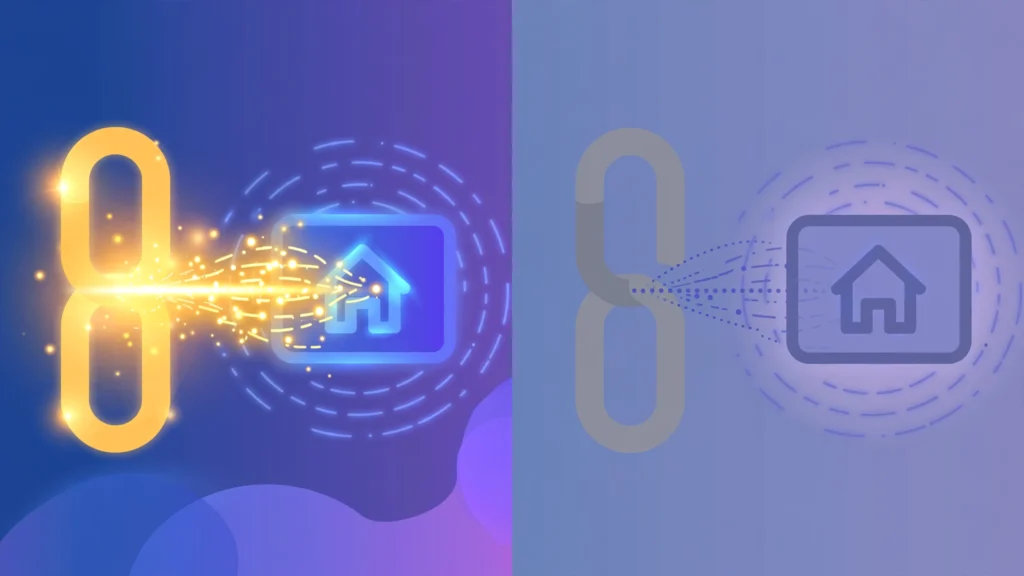
Dofollow links are ordinary links with no special attribute — they pass ranking credit to the page they point to. Nofollow links carry a rel="nofollow" attribute that tells search engines the link shouldn’t be treated as an endorsement. In the dofollow vs nofollow debate, the short answer is: dofollow links are the ones that move rankings directly, but nofollow links still matter — for traffic, for a natural-looking link profile, and because Google now treats nofollow as a hint rather than a hard rule.
On this page
If you’re building links or auditing your backlink profile, understanding the difference isn’t optional. This guide explains what each link type is, how Google actually treats them today (the rules changed in 2019, and plenty of old articles are still wrong about it), and what to do with the information.
What Is a Dofollow Link
Here’s the first thing most guides get wrong: there is no such thing as rel="dofollow". A dofollow link is simply a regular link with no qualifying attribute at all:
<a href="https://example.com">Example</a>That’s it. When you link to a page this way, you’re telling search engines two things: crawl this link, and treat it as a normal editorial endorsement. The linked page receives the full ranking value the link carries — what’s informally called “link juice” or PageRank flow.
“Dofollow” is just the SEO community’s shorthand for the default state of a link. Every link you create is dofollow unless you deliberately add an attribute that says otherwise. This is why Google’s own documentation on qualifying outbound links frames it the other way around: for regular links that you expect Google to fetch and parse without qualifications, you don’t need to add any rel attribute. The absence of an attribute is the dofollow state.
For link building, dofollow links are the prize. They’re the links that directly strengthen your page’s authority in Google’s ranking systems. When another site links to you with a plain, unqualified link, it’s casting a full vote of confidence — and votes like that are what move pages up the results.
What Is a Nofollow Link
A nofollow link carries the rel="nofollow" attribute:
<a rel="nofollow" href="https://example.com">Example</a>Google introduced nofollow in 2005 — jointly with Yahoo and MSN — to fight comment spam. Back then, spammers were flooding blog comments with links to game search rankings, and site owners had no way to say “I didn’t endorse this.” Nofollow gave them that way: a signal that the link shouldn’t count as a vote.
For fourteen years, nofollow worked as a directive. When Googlebot found a nofollow link, it would not follow it and would not pass ranking credit through it. The instruction was absolute — which is exactly why, over time, it started causing problems. Publishers began nofollowing every outbound link to “protect” their own rankings, and since so many news sites did this, Google found itself unable to discover original sources or use legitimate editorial links at all.
That broke the model, so Google changed it. On September 10, 2019, Google announced that nofollow — along with two brand-new attributes — would be treated as a hint rather than a directive, with the change taking effect March 1, 2020. In practice, this means Google may choose to follow a nofollow link and may use it for ranking purposes if it decides the link looks like a genuine editorial signal. Google’s documentation now phrases it carefully: links marked with these attributes “will generally not be followed” — generally, not never.
This is the single most important fact about nofollow today, and the one most outdated guides miss: nofollow is no longer a guarantee that a link passes zero value. It’s a strong suggestion that usually — but not always — gets honored.
The Other Rel Values
The same 2019 announcement introduced two new attributes that join nofollow as ways to identify the nature of a link:
rel=”sponsored” — for links that are advertisements or paid placements. If money, products, or services changed hands for a link, Google wants it marked with this value. Google’s spam policies are explicit on this point: paid links are a normal part of the web economy and aren’t violations as long as they’re qualified with rel="sponsored" or rel="nofollow". Unmarked paid links, on the other hand, are link spam.
rel=”ugc” — for user-generated content links, such as comments and forum posts. Instead of nofollowing everything users post, a site can mark it as UGC, which gives Google a more precise signal: this link came from a user, not from the site’s editors. Google even suggests that sites can reward trustworthy long-time contributors by removing the attribute from their links.
A few things worth knowing about these attributes. First, they’re all hints, not directives — the hint treatment applies equally to sponsored and ugc. Second, they can be combined: rel="ugc sponsored" is perfectly valid for a sponsored link inside user-generated content, and rel="nofollow ugc" works for backward compatibility with services that don’t recognize the newer values. Third, they’re optional — Google has said repeatedly that nobody is required to change anything. They’re granular tools for sites that want them.
For the link builder (as opposed to the site owner marking outbound links), the practical takeaway is simple: these attributes exist on the linking side, and you rarely control them. What you control is where you earn links from — and understanding the attributes helps you read your own backlink profile accurately. If you’re new to backlinks generally, start with what backlinks are before worrying about attributes.
Dofollow vs Nofollow: Which Helps SEO
Dofollow links are the ones that directly help your search rankings. A plain, unqualified link from a relevant, authoritative site passes ranking credit to your page — that’s the core mechanism of how links influence SEO, and it hasn’t changed.
Nofollow links, by contrast, “generally” don’t pass ranking credit — but “generally” is doing real work in that sentence now. Since March 2020, Google treats nofollow as a hint, which means a nofollow link from a strong editorial context can potentially contribute to rankings if Google decides the link is a genuine signal. Google hasn’t published exactly when it honors the hint and when it doesn’t, and anyone claiming to know the precise formula is guessing. What we know for certain is that nofollow no longer means “zero value, guaranteed.”
Here’s how to think about it practically:
- Dofollow: full, direct ranking value. This is what you’re optimizing for.
- Nofollow: usually no direct ranking value, but possibly some — plus indirect value (covered below).
- Sponsored: explicitly paid — don’t expect ranking value; it exists to keep you compliant, not to rank you.
- UGC: treated much like nofollow — a hint that Google may or may not honor.
One more honest point: you don’t get to choose. Whether your backlink is dofollow or nofollow is the linking site’s decision, not yours. Chasing only dofollow links and dismissing everything else is a mistake — for reasons the next section covers.

Do Nofollow Links Have Any Value
Yes — and dismissing them entirely is one of the most common beginner mistakes in link building. Here’s what nofollow links still do for you:
Referral traffic. A nofollow link on a popular page sends real visitors. A link from a busy Reddit thread, a Wikipedia article, or a high-traffic blog comment section can drive more actual humans to your site than a dofollow link on a page nobody reads. Traffic is traffic — it converts, it builds brand awareness, and it generates the branded searches and secondary mentions that search engines notice.
A natural link profile. Real websites earn a mix of dofollow and nofollow links. If every single link pointing at your site is dofollow, that pattern looks engineered — because it is. Google’s systems look for unnatural patterns, and a profile with zero nofollow links is itself a red flag. Nofollow links are the camouflage that makes your dofollow links look earned.
Discovery and crawling. Even when Google honors the nofollow hint for ranking purposes, the link still exists on a crawled page. Google’s documentation notes that pages behind nofollow links “may be found through other means” — the link still aids discovery of your content, even if it passes less ranking weight.
Possible hint value. Since 2020, nofollow is a hint. A nofollow link from a genuinely editorial context — a journalist citing you, a forum expert recommending your guide — is exactly the kind of signal Google built the hint system to potentially use. You shouldn’t count on it, but you shouldn’t assume it’s worthless either.
Brand building. Being mentioned and linked — even with nofollow — on respected sites builds the entity associations and brand recognition that feed into every other part of your marketing. The link you dismiss today as “just nofollow” might be the mention that leads to a dofollow link tomorrow, when someone who saw it writes about you on their own site.
The bottom line: earn every legitimate link you can, regardless of attribute. My guide on checking your backlinks shows how to see the dofollow/nofollow breakdown of your own profile — and if yours is 100% dofollow, that’s actually something to fix.
How to Check If a Link Is Dofollow or Nofollow
Checking a single link takes seconds. Right-click the link in your browser, choose “Inspect,” and look at the anchor tag in the developer tools. A plain
<a href="...">with no rel attribute is dofollow. If you see rel="nofollow", rel="sponsored", or rel="ugc" (or combinations), the link is qualified and won’t pass full ranking value.
For checking at scale — your own backlink profile or a competitor’s — use a backlink tool. Most SEO tools label each link’s attribute in their link reports, so you can filter your entire profile by dofollow vs nofollow and see the real ratio. That’s also how you spot problems: a profile that’s supposed to be editorial but shows 90% nofollow might mean your “links” are mostly coming from comments and forums rather than real content placements.
Want to analyze any site’s backlink profile? Try our free website authority checker.
One thing to be careful about: some sites apply nofollow (or sponsored/ugc) via JavaScript after the page loads, or set it in ways that don’t appear in the raw HTML. The browser’s inspect tool shows you the rendered DOM, which is what matters — that’s what Googlebot sees too. If you’re auditing links that might be hurting you rather than helping, my guide on toxic links to disavow covers when a link is a problem and what to do about it.
Frequently Asked Questions
Quick answers to the most common questions about link attributes:
What is the difference between dofollow and nofollow links?
A dofollow link is a plain link with no special attribute — it passes ranking credit to the linked page. A nofollow link carries rel=”nofollow”, which tells search engines not to treat it as an endorsement. Since March 2020, Google treats nofollow as a hint rather than a strict rule, so nofollow links generally (but not always) pass less ranking value than dofollow links.
Do nofollow links help SEO at all?
Indirectly, yes. They drive referral traffic, make your link profile look natural (a site with zero nofollow links looks manipulated), aid page discovery, and may occasionally pass some ranking value now that Google treats nofollow as a hint. You should welcome legitimate nofollow links rather than dismissing them.
What are rel=”sponsored” and rel=”ugc”?
Two link attributes Google introduced in September 2019 alongside the change to nofollow. “Sponsored” marks paid or advertisement links — Google requires paid links to be qualified with sponsored or nofollow. “UGC” marks links from user-generated content like comments and forum posts. Like nofollow, both are treated as hints for ranking purposes.
Should I try to get only dofollow backlinks?
No. Prioritize dofollow links from relevant, authoritative sites, but don’t reject nofollow opportunities — a natural profile contains both, and nofollow links bring traffic and brand value. More importantly, you don’t control the attribute; the linking site does. Focus on earning links from good sites and let the attributes fall where they may.
How can I tell if a backlink is dofollow or nofollow?
Right-click the link, choose Inspect, and check the anchor tag: no rel attribute means dofollow; rel=”nofollow”, rel=”sponsored”, or rel=”ugc” means it’s qualified. For your whole profile at once, use a backlink checker tool that labels each link’s attribute in its reports.
Done-for-you podcast backlinks
Get your brand on Apple Podcasts, Spotify, Amazon and 25 more trusted platforms — placed by hand, reported link by link.