
Learning how to get backlinks from Wikipedia starts with finding dead links or “citation needed” tags on relevant articles, creating content that replaces the missing source, then adding your link as a citation. Wikipedia links are nofollow, but they drive referral traffic and unlock second-order link opportunities.
On this page
- The Honest Truth About Wikipedia Backlinks
- Why Wikipedia Links Are Still Worth Pursuing
- How to Get Backlinks from Wikipedia: Three Legitimate Methods
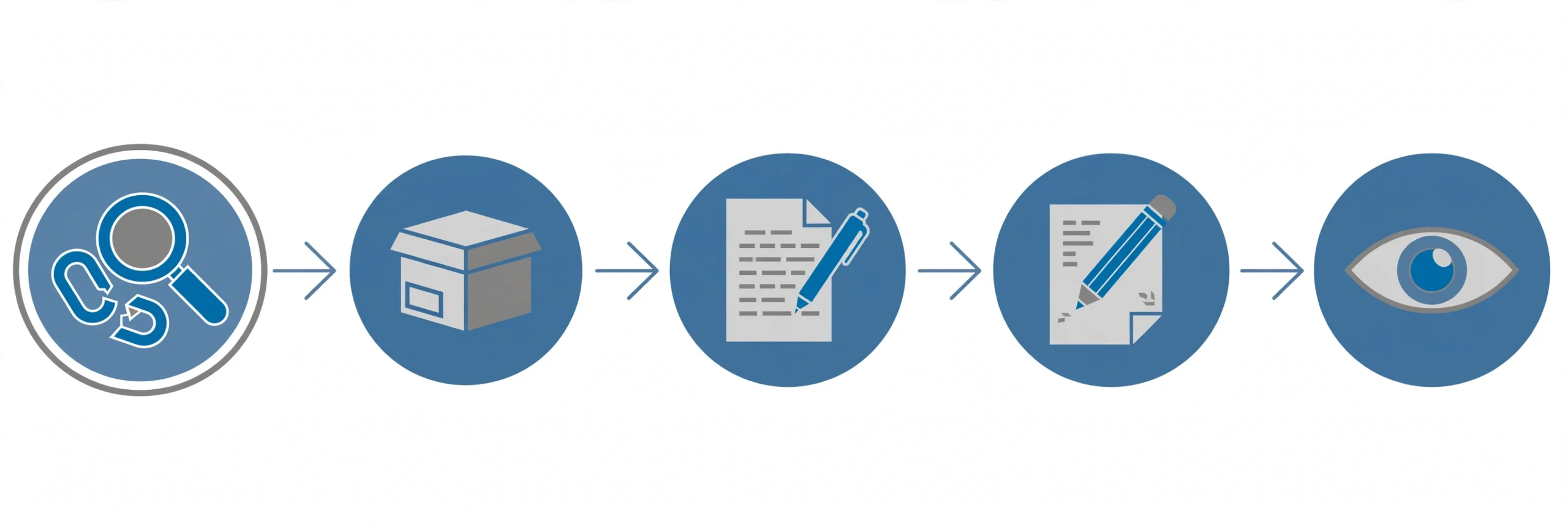
- The Dead Link Method: Step-by-Step Process
- How to Write Edits That Don’t Get Reverted
- Mistakes That Get Your Wikipedia Links Removed
- Turn One Wikipedia Link Into Many
- Frequently Asked Questions
- The Bottom Line
This guide covers the legitimate methods that work in 2026, the step-by-step dead link process, and mistakes that get edits reverted.
The Honest Truth About Wikipedia Backlinks
Before we go further, let’s clear up the biggest misconception: all external links on Wikipedia are nofollow. Wikipedia added the nofollow attribute to external links back in 2007 to discourage spammers from treating it as a link farm.
What does nofollow mean in practice? When Google sees a nofollow link, it typically doesn’t pass PageRank through it the way a standard dofollow link does. So if you’re chasing Wikipedia links purely for a ranking boost, you’ll be disappointed.
But here’s what most guides won’t tell you: nofollow doesn’t mean worthless. Google has treated nofollow as a “hint” rather than a strict directive since 2019, meaning it may consider these links as signals. More importantly, Wikipedia links deliver value that has nothing to do with PageRank — which is exactly what the next section covers.
Understanding how link equity works helps here: even when a link doesn’t pass traditional ranking power, it can still contribute to your site’s overall authority profile and visibility.
Why Wikipedia Links Are Still Worth Pursuing
If the links are nofollow, why do experienced SEOs still chase them? Because the indirect benefits are substantial:
Referral traffic. Wikipedia articles rank at the top of Google for thousands of informational queries. A citation on a high-traffic article can send a steady stream of visitors who are actively researching your topic — exactly the audience you want.
Trust and credibility. Being cited as a source on Wikipedia is a powerful trust signal. You can reference it in outreach emails (“as cited on Wikipedia…”), and it adds legitimacy when potential customers or partners research your brand.
Second-order links. This is the hidden goldmine. Journalists, bloggers, and researchers use Wikipedia as a starting point. When they see your site cited, some will link to you directly from their own articles — and those links are often dofollow. One Wikipedia citation can spawn multiple organic backlinks over time.
Brand visibility. Wikipedia pages often appear in Google’s knowledge panels and featured snippets. Having your brand cited there puts you in front of searchers at the exact moment they’re looking for authoritative information.
How to Get Backlinks from Wikipedia: Three Legitimate Methods
There are three methods that comply with Wikipedia’s guidelines. All of them require you to add genuine value — there’s no shortcut that survives long.
Fixing Dead Links
This is the most popular method. Wikipedia marks broken external links with a “dead link” tag. When you find one in your niche, you can create content that replaces the dead resource and edit the article to point to your page instead. Wikipedia’s editors welcome this because you’re fixing a problem, not creating one.
This technique overlaps heavily with broken link building — the same principles apply, just on the world’s largest reference site.
Filling “Citation Needed” Gaps
Wikipedia tags unverified claims with “citation needed.” If you have well-researched content that supports the claim, you can add it as a reference. This works best when your content is genuinely authoritative on the specific point — a detailed study, original data, or expert analysis.
Adding Missing References
Sometimes an article discusses a topic without citing the best available source. If your content is demonstrably the most comprehensive or up-to-date resource on that specific point, you can add it as a reference. This is the hardest method because the bar is highest — your content needs to clearly deserve the citation.
| Method | Difficulty | Success Rate | Best For |
|---|---|---|---|
| Dead link replacement | Medium | Higher — you’re fixing a problem | Sites with strong replacement content |
| Citation needed | Medium-Hard | Moderate — needs authoritative content | Original research, data, studies |
| New reference | Hard | Lower — highest scrutiny | Comprehensive guides, expert resources |
Verdict: Start with dead link replacement. It has the clearest value proposition for editors and the most straightforward process.
The Dead Link Method: Step-by-Step Process
Here’s the exact process, broken into actionable steps. Follow them in order — skipping steps is how edits get reverted.
Find Dead Link Opportunities
Start with Google search operators. This query finds Wikipedia pages in your niche with dead links:
site:wikipedia.org "your keyword" "dead link"Replace “your keyword” with a term from your niche. For example, site:wikipedia.org "email marketing" "dead link" surfaces articles about email marketing that contain broken references.
Alternative tools: WikiGrabber (wikigrabber.com) lets you enter a keyword and returns Wikipedia pages with dead links or citation gaps. It’s faster than manual searching when you’re prospecting at scale.
Once you find a candidate article, open it and press Ctrl+F (or Cmd+F) to search for “dead link” on the page. This jumps you straight to the broken reference.
Verify the Dead Link With the Wayback Machine
Don’t just assume the link is dead — verify it. Copy the broken URL and paste it into the Wayback Machine (web.archive.org). This shows you what the page looked like before it died.
This step matters for two reasons. First, you need to understand what content the dead link pointed to so your replacement is genuinely equivalent. Second, the archived version tells you whether the original was a blog post, a study, a tool, or something else — which shapes what you should create.
Concrete example: say you find a dead link on Wikipedia’s “Content marketing” article that pointed to a 2019 study about blog conversion rates. The Wayback Machine shows it was a 2,000-word research post with original survey data. Your replacement needs to cover the same ground — ideally with fresher data.
Create Replacement Content That Deserves the Link
This is where most people fail. Wikipedia editors can spot thin, self-serving content instantly. Your replacement page needs to be:
- Comprehensive — covering the topic as thoroughly as (or more thoroughly than) the dead page
- Neutral in tone — informational, not promotional. No “our amazing product” language.
- Well-sourced — cite your own sources. Wikipedia values verifiability.
- Non-commercial — the page shouldn’t be a sales pitch with a thin veneer of information
If you already have a strong page that fits, use it. If not, create one specifically for this purpose. The investment is worth it — this page can also attract links from the tier-two outreach described later.
Create a Wikipedia Account
You can edit Wikipedia without an account, but you shouldn’t. Anonymous edits from IP addresses face higher scrutiny and are more likely to be reverted on sight. A registered account with even a small edit history signals that you’re a genuine contributor, not a drive-by spammer.
Spend a few days making small, helpful edits on topics you know — fixing typos, improving formatting, adding citations from established sources. This builds a track record that makes your link addition look like part of a pattern of good contributions rather than a one-off promotional edit.
Make the Edit Properly
When you’re ready, open the Wikipedia article and click “Edit.” Replace the dead link with your URL, keeping the existing citation format intact. Wikipedia uses specific reference templates — match the surrounding style.
Write a clear edit summary. This is the short description of your change that appears in the article’s revision history. Something like “Replaced dead link with working source covering the same topic” tells reviewers exactly what you did and why. Vague or missing summaries raise red flags.
After saving, monitor the page for a few days. Check the revision history to see if anyone has modified or reverted your edit. If it’s reverted, read the editor’s reason carefully before trying again — blindly re-adding a removed link is the fastest way to get flagged.
How to Write Edits That Don’t Get Reverted
Wikipedia has thousands of active editors who patrol recent changes. Your edit needs to survive their review. Here’s what separates edits that stick from edits that get reverted within hours:
Follow the neutral point of view policy. Wikipedia’s core content policy requires articles to represent all significant viewpoints fairly. Your added content — and the page you’re linking to — should be informational, not opinionated or promotional. If your page reads like a sales pitch, the link won’t survive.
Cite properly. Use Wikipedia’s citation format correctly. A bare URL pasted into the article looks amateurish and gets flagged. Take the time to format the reference with title, publisher, and access date, matching the style of surrounding citations. Wikipedia’s own guidelines on citing sources explain the expected format.
Don’t overdo it. Adding one relevant citation is fine. Adding five links to your own site across different articles in a single day looks like a campaign — because it is. Space out your edits and mix in contributions that don’t benefit you directly.
Disclose conflicts of interest. If you’re editing articles related to your own business, Wikipedia’s guidelines ask you to disclose this. Editing with a conflict of interest isn’t banned, but undisclosed promotional editing is. Honesty builds long-term credibility.
For the full policy details, read Wikipedia’s external links guideline before making your first edit. Knowing the rules is the single best way to avoid reverts.
Mistakes That Get Your Wikipedia Links Removed
These are the patterns that trigger reverts, warnings, or account blocks. Avoid all of them:
Linking to thin or promotional pages. If the page you’re citing is a 300-word blog post with a “Buy Now” button at the top, editors will remove it. The content must stand on its own as a legitimate reference.
Editing only to add your links. An account whose entire edit history is adding links to one domain is obviously promotional. Contribute broadly — fix typos, improve other articles, add citations from third-party sources.
Using misleading edit summaries. Writing “fixed typo” when you actually added a link to your site destroys trust instantly. Editors check summaries against actual changes.
Re-adding reverted links. If an editor removes your link, don’t just put it back. That’s considered edit warring. Instead, go to the article’s talk page and make your case — explain why your source is the best replacement and ask for feedback.
Creating fake notability. Don’t create new Wikipedia articles just to link to your site, and don’t pad existing articles with unnecessary content to justify a citation. Editors see through this immediately.
Turn One Wikipedia Link Into Many
Here’s the advanced play that most guides skip. When you find a dead link on Wikipedia, that URL is probably broken on other websites too. Sites that cited the same source now have a dead link — and you have the replacement.
The process: take the dead URL and plug it into a backlink checker (Ahrefs, Semrush, or similar) to see which other sites link to it. You’ll often find dozens of blogs, resource pages, and articles pointing to the same dead page.
Then run outreach: email those site owners, let them know they have a broken link, and suggest your content as a replacement. This is classic link building outreach, but with a much higher success rate because you’re solving a real problem they didn’t know they had.
Concrete example: you replace a dead link on Wikipedia’s “Email deliverability” article with your deliverability guide. You then discover 34 other sites linking to the same dead URL. Even a modest 20% conversion rate on outreach means 6-7 additional backlinks — most of them dofollow — from a single dead link discovery.
This tier-two approach is where the real ROI of Wikipedia link building lives. The Wikipedia link itself is the starting point, not the finish line.
Frequently Asked Questions
Are Wikipedia backlinks dofollow or nofollow?
All external links on Wikipedia are nofollow. Wikipedia implemented this in 2007 to discourage spam. While nofollow links don’t pass PageRank in the traditional sense, Google treats nofollow as a “hint” since 2019, and Wikipedia links still deliver referral traffic, trust signals, and second-order link opportunities.
How long does it take to get a Wikipedia backlink?
The editing itself takes minutes, but the full process — finding an opportunity, creating replacement content, building account credibility, and making the edit — typically takes 2-4 weeks. Rushing the process (new account, immediate link addition) dramatically increases the chance of reverts.
Can Wikipedia backlinks get my site penalized?
Not if you follow the guidelines. Wikipedia links are earned through genuine contributions, which is exactly what Google wants to see. Penalties come from manipulative tactics — mass-adding links, using multiple accounts, or linking to spammy pages. One or two well-placed, legitimate citations pose no risk.
Do I need a Wikipedia account to add backlinks?
Technically no, but practically yes. Anonymous edits face much higher scrutiny and are frequently reverted. A registered account with a history of constructive edits signals legitimacy and significantly improves your chances of the link sticking.
What happens if my Wikipedia edit gets reverted?
Don’t panic and don’t re-add it immediately. Check the edit summary for the reason, review Wikipedia’s guidelines on the specific issue, and consider discussing it on the article’s talk page. Many reverts happen because of formatting issues or missing edit summaries — both fixable. Persistent re-adding without discussion can lead to account warnings.
The Bottom Line
Getting backlinks from Wikipedia isn’t a hack or a loophole — it’s a straightforward exchange of value. You fix a problem (dead links, missing citations) and earn a citation in return. The links are nofollow, so set expectations accordingly, but the referral traffic, credibility, and tier-two link opportunities make it worth the effort for most sites.
Start with the dead link method, follow Wikipedia’s guidelines genuinely, and be patient. One solid Wikipedia citation earned the right way is worth more than a dozen spammy links that get removed within a week.
Done-for-you podcast backlinks
Get your brand on Apple Podcasts, Spotify, Amazon and 25 more trusted platforms — placed by hand, reported link by link.