
Every site that ranks has backlinks, and every serious SEO eventually needs a way to see them. The problem is that “backlink tool” gets slapped on products that do completely different jobs. A quick read with our free Website Authority Checker takes thirty seconds — but knowing which of the best backlinks tools to buy — and when — takes this guide.
On this page
- What Are Backlinks Tools? (The 4 Types)
- Best Backlink Checker Tools
- Best Free Backlink Checkers
- Bulk Backlink Checker Tools
- Toxic Backlink Checkers
- Backlink Tracker Tools
- Disavow Tools
- How to Run a Quarterly Backlink Audit
- Common Mistakes When Choosing the Best Backlinks Tools
- How to Choose From the Best Backlinks Tools
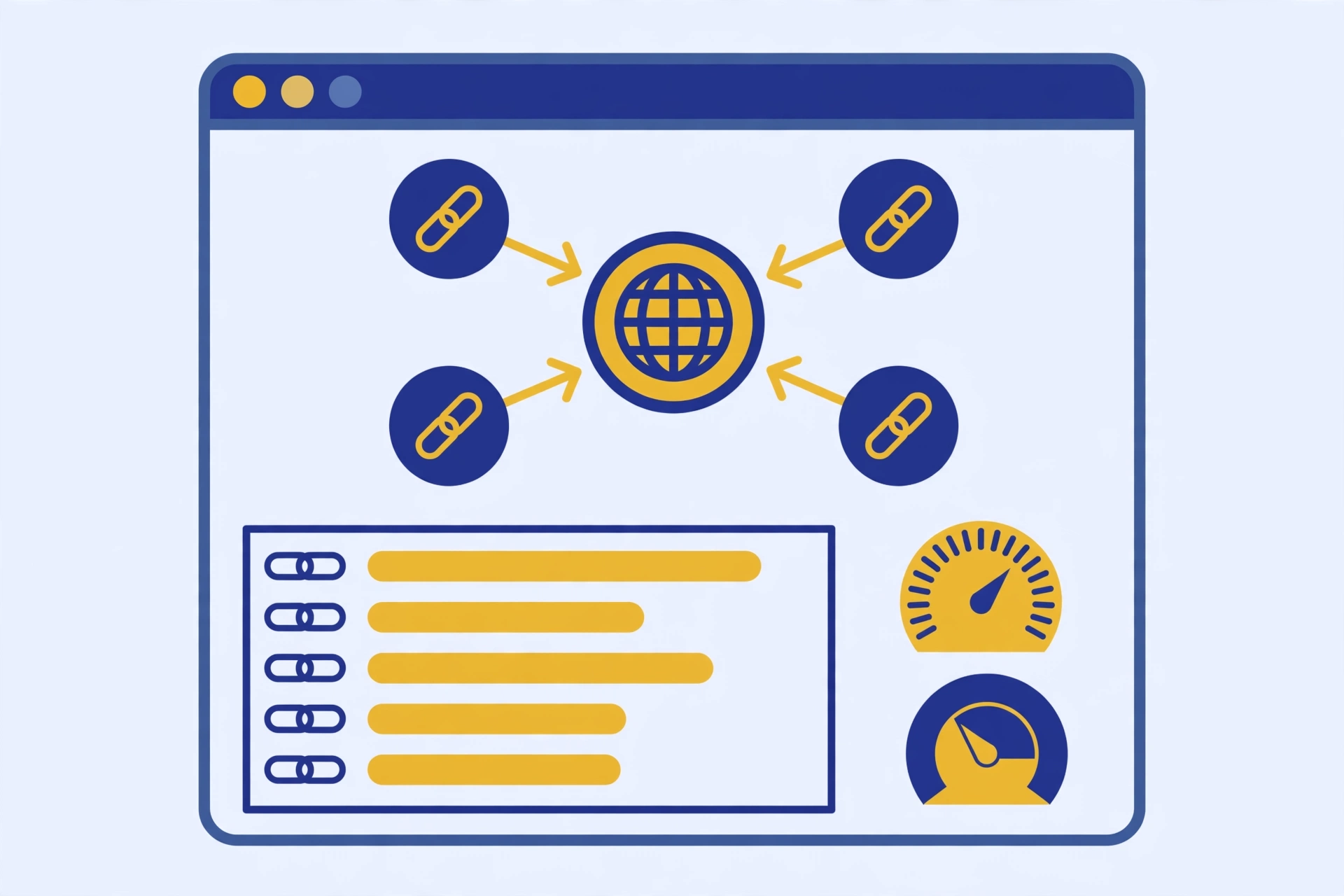
What Are Backlinks Tools? (The 4 Types)
Nearly every one of the best backlinks tools falls into one of four types:
- Backlink checkers — show you who links to a site (yours or a competitor’s), plus authority metrics for those links. The foundation of all backlink analysis.
- Toxic link checkers — scan a backlink profile and flag links that look spammy or harmful. Useful before you decide whether a cleanup is needed.
- Disavow tools — help you tell Google to ignore specific links pointing at your site. The tool itself is Google’s; the “tooling” is the workflow of building a correct disavow file.
- Backlink trackers — monitor your backlink profile over time: new links gained, links lost, and changes in anchor text or authority.
Knowing which type you need saves real money. Auditing your profile? You need type 1 and maybe type 2. Cleaning up after a penalty? Types 2 and 3. Protecting links you earned? Type 4. Below, the best option in each category, with honest limits stated up front.
Best Backlink Checker Tools
A backlink checker reveals the links pointing to any website — which domains link to it, how many links exist, what anchor text they use, and how strong each linking domain looks. The checkers below are the most-used entries among the best backlinks tools, and this is where every backlink audit starts.
Free: MSF Website Authority Checker
Our own tool, so we’ll be straight about what it does and doesn’t do. It checks a domain’s authority metrics and gives you a quick read on backlink strength — spam score screening included — with no signup. It’s the fastest way to sanity-check a domain before you spend time on it. What it won’t do: show you a full export of every referring domain the way a paid index does. Use it for spot checks and prospect vetting; graduate to a paid index when you need competitor-scale data.
Free: Google Search Console
The most underused backlink checker of all is already in your toolkit. Search Console’s Links report shows your top linking sites, top linked pages, and top anchor text — straight from Google’s own data, 100% free. Its limits: it only covers your own verified sites (no competitor analysis), it doesn’t score link quality, and the export caps at 1,000 rows per report. Still, if you only check one source for your own site’s links, this should be it.
Practical tip: cross-reference Search Console’s “top linked pages” against your analytics’ top traffic pages every quarter. Pages with lots of links but no traffic are candidates for content refreshes; pages with traffic but few links are candidates for outreach. This one comparison routinely surfaces the highest-ROI link building opportunities on small sites.
Paid: Ahrefs, Semrush, Majestic, and Moz
Ahrefs Site Explorer has the largest and freshest backlink index in the industry. It shows referring domains, new/lost links, anchor clouds, and the exact pages linking to you or competitors. Pricing starts around $129/month. Verdict: the gold standard for serious link analysis — if you do backlink work weekly, this is the one tool that earns its price.
Semrush Backlink Analytics offers comparable depth with stronger integration into keyword and content workflows. Its toxic-score flagging is built into the same dashboard, which is convenient for audits. Pricing starts around $139.95/month. Verdict: best pick if your team already lives in Semrush — one suite instead of two subscriptions.
Majestic SEO (majestic.com) is the link specialist. While Ahrefs and Semrush do everything, Majestic focuses on link intelligence: Trust Flow and Citation Flow metrics, historic index data, and link-context analysis. Pricing starts around $49.99/month. Verdict: the cheapest credible paid option and the best second opinion when Ahrefs’ data looks thin on a specific domain.
Moz Link Explorer (moz.com/link-explorer) is the veteran of the category, built around Domain Authority and the Spam Score metric that many SEOs still use as a first-pass filter. Its index is smaller than Ahrefs’, but its metrics are the ones clients recognize. Pricing starts around $99/month. Verdict: a solid middle option, especially if your reporting already speaks in Domain Authority.
One honest note on index size: no two tools agree on your exact link count, because each crawls the web independently. Don’t chase the biggest number — pick the index whose data you act on consistently.
Best Free Backlink Checkers
If your searches lean toward “backlink checker free,” here’s the honest landscape: the free tier of the best backlinks tools shows you real data, but with smaller indexes and query limits. That’s fine for spot checks — inadequate for competitor research.
- MSF Website Authority Checker — no signup, instant authority and spam-score read on any domain. Try the free checker here.
- Google Search Console — the only free checker with Google’s own link data. Limited to your verified sites, but the data is authoritative.
- Ahrefs free backlink checker — shows the top 100 backlinks to any domain, no account needed.
- SE Ranking free backlink checker — limited free reports showing referring domains and anchor text basics.
- Ubersuggest (free tier) — a handful of free backlink overview reports per day.
The smart free workflow: run your domain through Search Console first (your ground truth), then through Ahrefs’ free checker for the top-100 view, then spot-check suspicious domains with our authority checker. That three-source triangle costs nothing and catches most problems. Upgrade only when you hit a wall — usually competitor research or bulk prospect vetting.
Bulk Backlink Checker Tools
A bulk backlink checker analyzes many domains at once — exactly what you need when you’re qualifying a 200-row prospect list or sweeping competitors in one afternoon. Bulk checking is where the paid best backlinks tools justify their price over free tiers.
- Ahrefs Batch Analysis — paste up to 200 URLs and get DR, referring domains, and traffic for all of them in one table.
- Semrush bulk backlink analysis — similar batch scoring inside the Backlink Analytics workflow.
- Free bulk checkers — several no-signup tools check batches of domains for basic authority metrics.
How to actually use batch analysis: export your prospect list with a column for the URL, run the batch, then sort by referring domains (not DR — DR is easier to fake with a few strong links). Delete anything under 20 referring domains unless it’s hyper-relevant to your niche. Then — and this is the step most people skip — manually open the top 20 survivors and eyeball them for real traffic and editorial standards. Batch tools triage; they don’t qualify. Your final prospect list should be the survivors of both machine and human review.
Toxic Backlink Checkers
A toxic backlink checker — a standard module inside most of the best backlinks tools — scans your link profile and flags links that look harmful: links from obvious link farms, hacked sites, foreign-language spam networks, and domains with extreme spam scores.

- Semrush Backlink Audit — crawls your backlinks, assigns a toxicity score to each linking domain, and lets you move suspicious links straight into a disavow list.
- Moz Link Explorer + Spam Score — Moz’s Spam Score estimates the percentage of sites with similar features that Google penalized.
A practical triage workflow: export your full backlink list, sort by the tool’s toxicity score descending, and review the top 5% manually. For each flagged domain, check three things — is the site real (does it have an about page, contact info, real posts?), is the link editorial (placed in content, not a sidebar/footer dump?), and is the topic adjacent to yours? If all three answers are no, it’s a genuine disavow candidate. If even one is yes, leave it alone. Most sites that run this process discover their “toxic link crisis” is 10–30 domains, not hundreds.
Judging Backlink Quality Manually
Here’s what no roundup tells you: no tool can definitively label a link “toxic.” Scores are estimates. Backlink quality is ultimately a human judgment call, and it comes down to four signals:
- Relevance. Does the linking page have anything to do with your topic?
- Real traffic. Does the linking site get actual visitors?
- Editorial placement. Is the link inside real content, placed by a human who chose to reference you?
- Anchor patterns. A natural profile has mostly branded, naked-URL, and generic anchors.
Tools flag; humans decide. Disavow only what a manual review confirms is genuinely harmful. If you’re still building your first links, read earning high-authority links the right way first — it’s far easier to earn clean links than to clean up dirty ones later.
Backlink Tracker Tools
A backlink tracker watches your profile over time and alerts you to new links gained and — more importantly — links lost.
- Ahrefs Alerts — email alerts for new and lost backlinks on any domain you monitor.
- Monitor Backlinks — a dedicated tracking tool with keyword-ranking integration.
- Linkody — lightweight, affordable link monitoring with disavow-file export built in.
Lost-link alerts are the underrated feature here. A link you earned disappearing — the linking page got deleted, the site redesigned, your link quietly removed — is recoverable if you catch it fast. Set up a monthly routine: review lost links, email the site owner with a friendly “noticed the link is gone, any chance of restoring it?” note.
Disavow Tools
There’s really one disavow tool: Google’s Disavow Tool in Search Console. Everything else in this category is workflow — identifying candidates, formatting the file correctly, and uploading it.
When to use it: only when you have a manual action for unnatural links, or a clear, documented pattern of toxic links you can’t get removed.
How it works: you upload a plain-text file listing the URLs or domains to ignore (domain:spammysite.com for whole domains), one entry per line. Google then discounts those links when assessing your site.
A minimal disavow file looks like this:
# Contacted site owner 2026-03-14, no response after two follow-ups
domain:spammy-directory-xyz.com
domain:cheap-links-network.net
# Single bad page on an otherwise legitimate site
https://example-blog.com/sponsored-post-farm/
Two rules that prevent disasters: comment every entry with the date and reason (future-you will thank present-you), and disavow at the domain level only when the whole domain is junk — use page-level entries for one-off bad links on real sites. Uploading a sloppy file can tank rankings you spent years building.
Full step-by-step with file examples: our step-by-step disavow walkthrough.
How to Run a Quarterly Backlink Audit
Even the best backlinks tools are only as good as the process around them. Here’s the audit routine that keeps a profile healthy, start to finish:
- Export everything. Pull your full backlink list from Search Console (ground truth) and from one paid index (competitor context). Deduplicate by linking domain.
- Score and sort. Run the list through a toxic-link scan and sort by risk score. Review the top 5% manually using the four-signal test above.
- Check anchor distribution. If exact-match commercial anchors exceed ~10% of the profile, shift your next quarter’s link building toward branded and naked-URL anchors to rebalance. (Brush up on a refresher on dofollow link attributes if you need a refresher on link attributes before auditing.)
- Review lost links. Pull the lost-links report from your tracker and send recovery emails for anything worth more than ten minutes of effort.
- Benchmark competitors. Run your two closest competitors through the same checker. Note their referring-domain velocity — if they’re gaining 30 domains a month and you’re gaining 5, your strategy (not your tool) needs attention.
- Document decisions. One page: what you found, what you disavowed and why, what you plan to build next quarter. Audits you don’t write down get repeated from scratch.
This takes a focused afternoon per quarter for a small site. Agencies run it monthly for clients. Either way, the cadence matters more than the tool: a disciplined auditor with free tools beats a careless one with a $500/month stack.
Common Mistakes When Choosing the Best Backlinks Tools
- Buying the suite before the skill. A $129/month index won’t teach you to judge link quality. Spend three months auditing with free tools first; you’ll know exactly which paid feature you need — and you won’t pay for the other eleven.
- Treating toxicity scores as verdicts. Scores are triage, not truth. Disavowing on autopilot has killed more rankings than spammy links ever did.
- Comparing index sizes instead of acting on data. Five tools’ exports sitting unopened in a folder help nobody. One tool, fully used, beats five subscriptions.
- Ignoring your own data. Search Console is free, authoritative, and already yours. Most “mystery ranking drops” are visible in its Links report weeks before anyone checks.
- Letting subscriptions stack. Audit your tool spend twice a year. If you haven’t logged into a tool in 60 days, cancel it — you can always resubscribe.
How to Choose From the Best Backlinks Tools
Match the best backlinks tools to the job, not the hype:
- Auditing your profile? A checker (Search Console + one paid index) plus a toxic-link scan. Run quarterly.
- Cleaning up a penalty? Toxic checker to triage, manual review to confirm, Google’s Disavow Tool to file.
- Monitoring links you earn? A tracker with lost-link alerts.
- Qualifying prospects at scale? A bulk checker to triage, then deep checks on the shortlist.
And the budget ladder, honestly: the $0 stack (Search Console + MSF’s free checker + free tiers) covers audits for small sites completely. One paid seat (Majestic at ~$50 or Moz at ~$99) makes sense when you’re analyzing competitors monthly. The agency suite (Ahrefs/Semrush) pays off only when backlink work is a weekly activity.
FAQ
What’s the best free backlink checker?
Google Search Console for your own sites (it’s Google’s own data), plus a no-signup authority checker for quick reads on any domain — including competitors. Among free options, that combination covers what most of the best backlinks tools charge for at the entry level.
Do I need a paid backlink tool?
Not until you’re doing competitor research or outreach at volume. The paid entries among the best backlinks tools matter when you need fresh, complete data on domains you don’t own.
Can a tool tell me exactly which links are toxic?
No. Tools estimate risk with scores; they can’t see intent. Always confirm with manual review before disavowing anything.
How often should I check my backlinks?
A full audit quarterly, lost-link alerts running continuously if you have a tracker, and an immediate check after any sudden ranking drop or manual action notice.
Why do different tools show different backlink counts?
Each of the best backlinks tools crawls the web with its own bot on its own schedule, so no two indexes are identical. Use one tool consistently for trends and treat absolute numbers as approximate.
What’s the difference between Trust Flow and Domain Authority?
Both estimate a domain’s link strength, but from different vendors: Trust Flow (Majestic) emphasizes link quality and topical trust, while Domain Authority (Moz) is a 100-point predictive score of ranking potential. Neither is a Google metric — use them to compare domains relatively, not as absolute grades.
Done-for-you podcast backlinks
Get your brand on Apple Podcasts, Spotify, Amazon and 25 more trusted platforms — placed by hand, reported link by link.